Set a password to prevent anyone from viewing my mobile screen
-
I am using Screen Cast to see photos from my mobile on browser. I want to prevent other people from viewing my photos from other devices on the network. Is there any way to do this?
-
Screen Cast provides an option to set a password to prevent anyone from viewing your mobile device screen on their browser.
To set the password, open Screen Cast and go to Settings. Select the Require password for viewing Screen Cast option. Then press the back button on your device, you will see the home screen. Click Start Broadcasting to see the ID and password for establishing a connection with your browser.
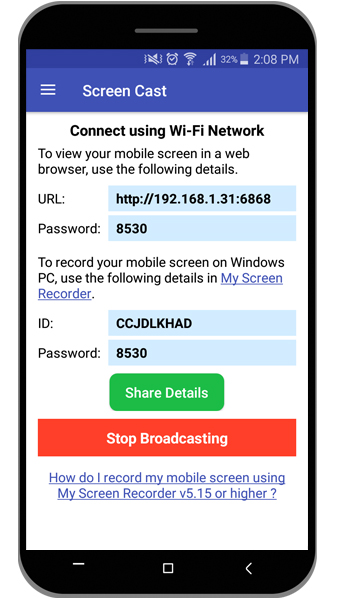
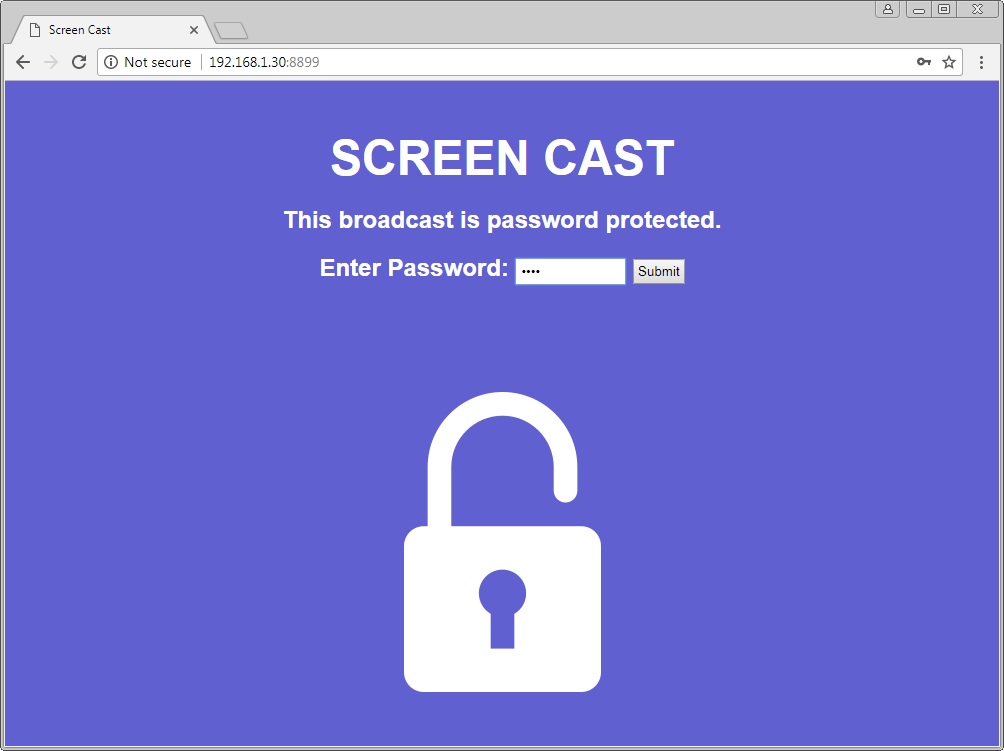
Next, open your browser and enter the URL from the Screen Cast app. Enter the password and click the Submit button. You will be able to see your mobile screen on your browser.
Hello! It looks like you're interested in this conversation, but you're not signed in.
Sign in with your Deskshare account to ask a question, reply, and get an email when someone answers. You will come back to exactly where you left off.
With your input, this post could be even better 💗
Register Login