View your mobile camera in full screen on PC
-
How can I view mobile camera on my PC in full screen?
-
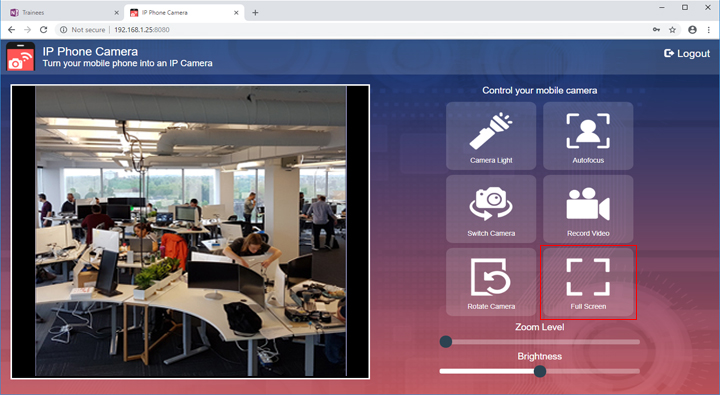
IP Phone Camera allows you to see the camera view captured from your mobile device on your PC in full screen.
First, connect IP Phone Camera to any device with a browser. To see how to establish a connection, see our support forum :
Viewing the mobile device camera on my PCOnce the connection is established, you will see the view captured from your mobile device in the browser. Click on the Full screen option on the preview. The camera view will appear in full screen on the browser and the aspect ratio will be maintained.
Hello! It looks like you're interested in this conversation, but you're not signed in.
Sign in with your Deskshare account to ask a question, reply, and get an email when someone answers. You will come back to exactly where you left off.
With your input, this post could be even better 💗
Register Login