Shut down the PC after completion of automated FTP transfer
-
I want to use Auto FTP Manager for automated file transfers. I would like to know if I can configure it to turn off my PC once the transfer completes.
Thanks… -
You can configure Auto FTP Manager to turn off the PC when transfers are completed.
Create an automated transfer profile to configure the PC shut down function. See this link for creating a connection profile:
https://www.deskshare.com/help/afm/what-is-a-profile.aspxWhile creating a connection profile, select the ‘Turn off Computer’ option from the Automated Transfer Settings.
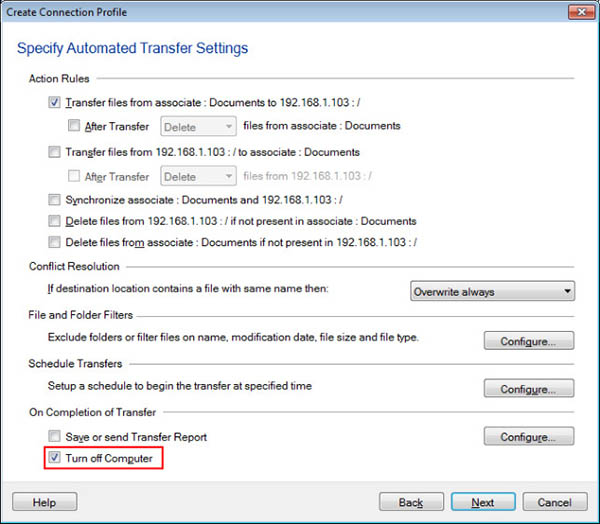
Once the automated transfer is completed, the PC will be turned off after 30 seconds.
Note: Whether the file transfer is successful or unsuccessful, the PC will be turned off after completion of the transfer.
Hello! It looks like you're interested in this conversation, but you're not signed in.
Sign in with your Deskshare account to ask a question, reply, and get an email when someone answers. You will come back to exactly where you left off.
With your input, this post could be even better 💗
Register Login