Adjusting word pronunciation in Text Speaker
-
I am a new user and testing the trial version of Text Speaker. It is not correctly pronouncing some words in my document. How to fix the pronunciation?
-
You can change the way Text Speaker pronounces a word when you listen to your document.
To change the pronunciation for any word, select it and click Tools >> Pronunciation. Enter the word you want to correct the pronunciation for in the Word text field. Enter the way you want the word to be pronounced in the Pronunciation text field. Click the Test button to hear the pronunciation and click Apply if it is correct.
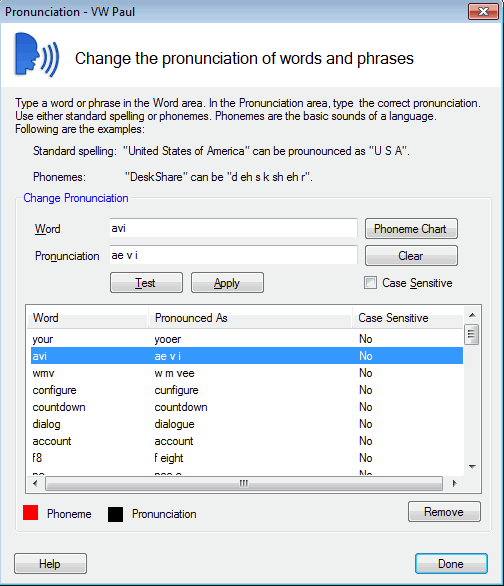
Use this method in Text Speaker to correct the pronunciation for each incorrectly pronounced word in your document.
To learn more about Adjusting Pronunciation see this link:
https://deskshare.com/help/ts/AdjustingPronunciation.aspx
Hello! It looks like you're interested in this conversation, but you're not signed in.
Sign in with your Deskshare account to ask a question, reply, and get an email when someone answers. You will come back to exactly where you left off.
With your input, this post could be even better 💗
Register Login