Show a title at the beginning of the screen recording as a text overlay
-
I would like to title or introduce my content when I record videos. Can I show a text overlay message on the screen recording for a few seconds?
-
In My Screen Recorder Pro you can easily add text annotations in your screen recordings and choose to display it for the first N seconds.
To add text annotations, go to Effects >> Time and Text Annotations. Click the New button under the 'Text Caption' section. On the Options dialog, enter the text to be displayed in the text area. Look for the Duration section and select Show caption for the first option. Specify the number of seconds you want to display the text label. You can also adjust the text size, font, and position. Click OK to complete the settings.
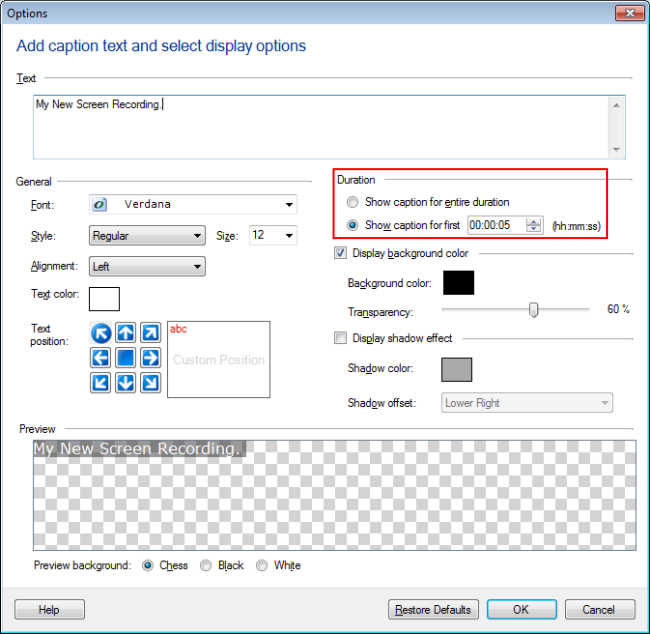
Start screen recording by clicking on the 'Record' icon from the toolbar. The text label will be displayed on the recorded file for the selected duration.
Hello! It looks like you're interested in this conversation, but you're not signed in.
Sign in with your Deskshare account to ask a question, reply, and get an email when someone answers. You will come back to exactly where you left off.
With your input, this post could be even better 💗
Register Login