Reading special characters in Text Speaker
-
I have noticed that sometimes Text Speaker does not read some special characters. How to fix this? Any guidance would be appreciated.
-
Text Speaker allows you to set the pronunciation for words to make the perfect listening experience. You can read special characters by adding a pronunciation for them.
To add pronunciation, click on the Pronunciation icon from toolbar. Enter the character in the ‘Word’ text field and add the corresponding pronunciation. Click on the ‘Test’ button to check the pronunciation and finally click on ‘Apply’ button if it is correct.
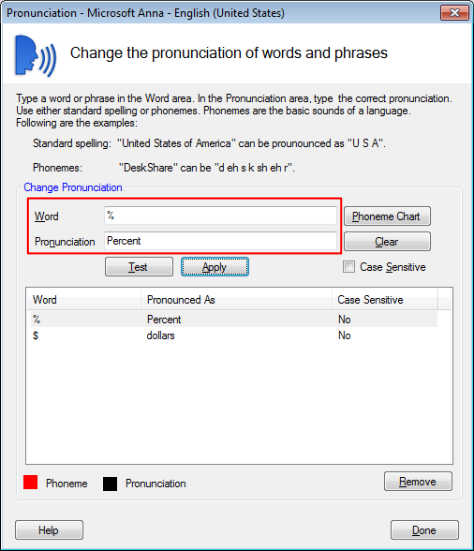
Now, Text speaker will read characters according to the applied pronunciation.
Hello! It looks like you're interested in this conversation, but you're not signed in.
Sign in with your Deskshare account to ask a question, reply, and get an email when someone answers. You will come back to exactly where you left off.
With your input, this post could be even better 💗
Register Login