Start recording for 3 webcams simultaneously
-
Can WebCam Monitor start recording for all of my three webcams at same time?
-
Yes, this can be done using the scheduler in WebCam Monitor.
Click on the ‘Scheduler’ icon on the tool bar. Select all of your webcams under the ‘Camera Name’ section and choose the video recording action.
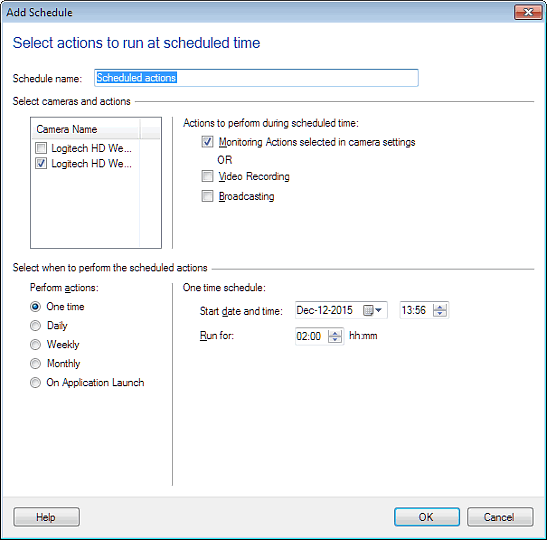
Enter the start date and time and the number of hours to run the schedule. When the schedule launches, video recording will be started for all webcams simultaneously.
Hello! It looks like you're interested in this conversation, but you're not signed in.
Sign in with your Deskshare account to ask a question, reply, and get an email when someone answers. You will come back to exactly where you left off.
With your input, this post could be even better 💗
Register Login