Removing the count down timer at the start of screen recording
-
I am using the evaluation version of My Screen Recorder Pro. I would like to skip the count down timer shown before the start of screen recording. Is it possible?
-
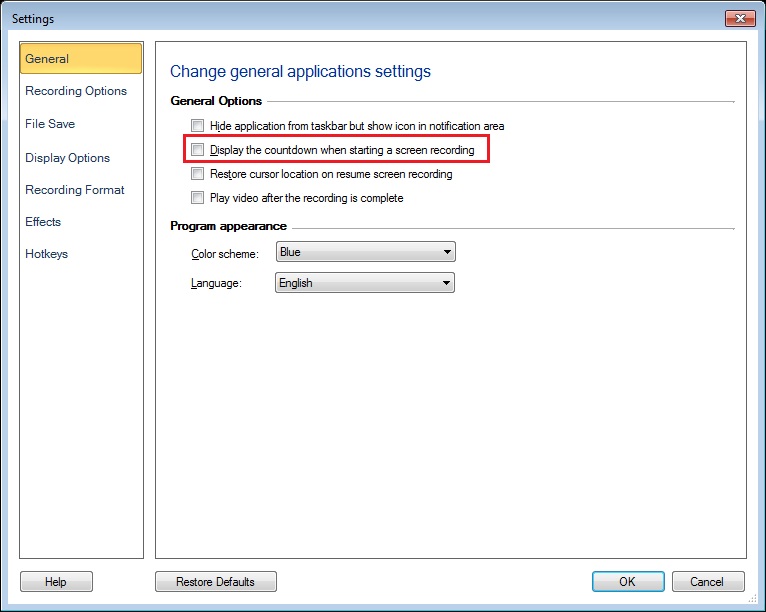
You can remove the countdown shown at the beginning of screen recording in My Screen Recorder Pro. Go to Settings and uncheck the ‘Display the countdown when starting a screen recording’ option.
Make a test recording and note that the countdown is no longer shown.
Hello! It looks like you're interested in this conversation, but you're not signed in.
Sign in with your Deskshare account to ask a question, reply, and get an email when someone answers. You will come back to exactly where you left off.
With your input, this post could be even better 💗
Register Login