Saving WebCam Monitor event logs every Friday night
-
I have added two webcams in WebCam Monitor that generate log files every day. I want to have the log files saved every Friday night. How to do this?
-
WebCam Monitor allows you to save the log files on a particular day of the week or every day. You can also set the time to save the log file.
Go to ‘Settings’ and then move to the ‘Advanced’ tab.
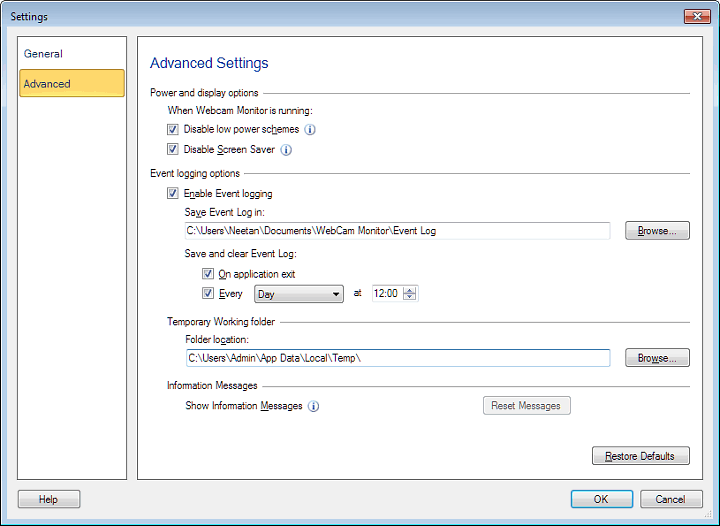
Select ‘Friday’ from the drop down and enter the time. Make sure you enter the time in 24 hour format. If you want to save log files at 9 PM, then enter the value 21:00.
Hello! It looks like you're interested in this conversation, but you're not signed in.
Sign in with your Deskshare account to ask a question, reply, and get an email when someone answers. You will come back to exactly where you left off.
With your input, this post could be even better 💗
Register Login