Allowing only a single connection to the Security Monitor Pro broadcast stream
-
I am using Security Monitor Pro for broadcasting the feeds from my IP cameras. I want to make sure that only a single person is allowed to view the stream and no one else can watch it. Can I do this?
-
Security Monitor Pro allows you to restrict the number of viewers watching your IP camera's live broadcast.
To allow a single person to view the stream, click Manage Cameras icon from the tool bar, select the camera and click 'Edit Camera'. On Broadcast tab, you need to choose the value 1 in the ‘Maximum concurrent viewers’ drop down list and save it.
On broadcasting the camera stream, the application will allow only 1 user to watch the live preview. You can also set the Broadcast Profile and Video Size.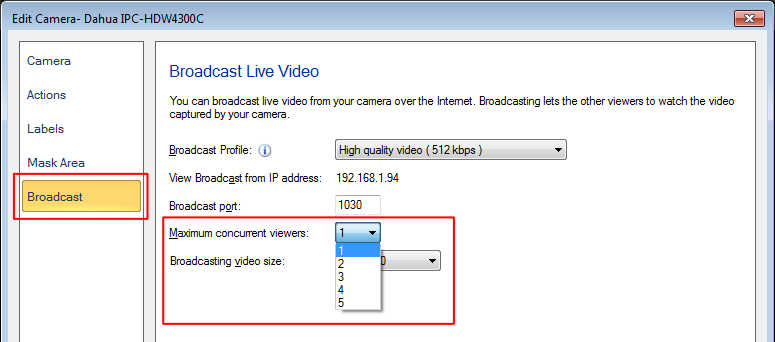
Hello! It looks like you're interested in this conversation, but you're not signed in.
Sign in with your Deskshare account to ask a question, reply, and get an email when someone answers. You will come back to exactly where you left off.
With your input, this post could be even better 💗
Register Login