Increasing the time between pictures taken by WebCam Monitor
-
I am using WebCam Monitor with two webcams. I get a lot of photos from my webcams whenever there is movement. I would instead like a time-lapse of photos, say a picture after one hour or one and a half hours. How do I increase time between the photos taken from my webcam?
-
You can do this using the regular interval monitoring option in WebCam Monitor.
From Quick access, select the ‘At regular intervals of:’ option and put the time at 60 or 90 minutes.
If you want to capture only a single photo every hour then click on the ‘Configure’ button for the ‘Take Photo’ action and put value ‘1’ in both the numeric text boxes.
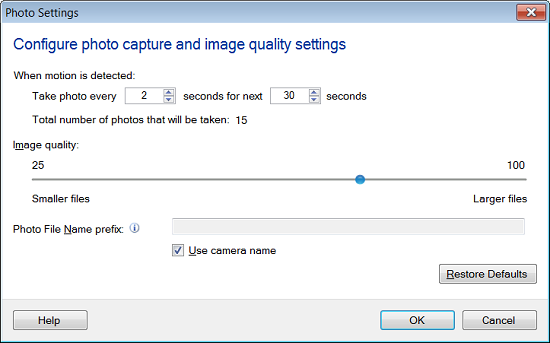
Using the regular interval option allows you to increase the time interval between pictures or any other action you choose.
Hello! It looks like you're interested in this conversation, but you're not signed in.
Sign in with your Deskshare account to ask a question, reply, and get an email when someone answers. You will come back to exactly where you left off.
With your input, this post could be even better 💗
Register Login