Reading website pages through Text Speaker
-
Does Text Speaker allow me to read website pages?
-
Yes, you can use Text Speaker for reading website pages.
First, configure keyboard shortcuts. Click on the ‘Settings’ icon on the tool bar and then go to the ‘Keyboard Hotkey’ tab.
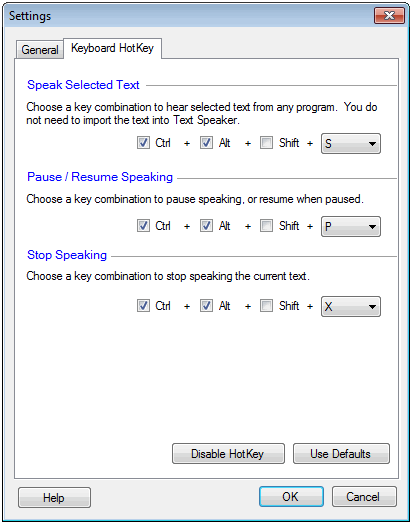
Select the text which you want to read, and use the keyboard shortcuts to start/stop and pause reading.
Hello! It looks like you're interested in this conversation, but you're not signed in.
Sign in with your Deskshare account to ask a question, reply, and get an email when someone answers. You will come back to exactly where you left off.
With your input, this post could be even better 💗
Register Login