Invert or rotate the camera preview in WebCam Monitor
-
I have my webcam attached to the ceiling, so the picture is inverted. I would like to see the preview with the correct orientation on the screen and in the recordings. Can I invert the camera view from WebCam Monitor?
-
Yes, you can rotate your camera preview in WebCam Monitor.
From the Add/Edit camera, select the ‘Rotate video by:’ option and put the value of 180.
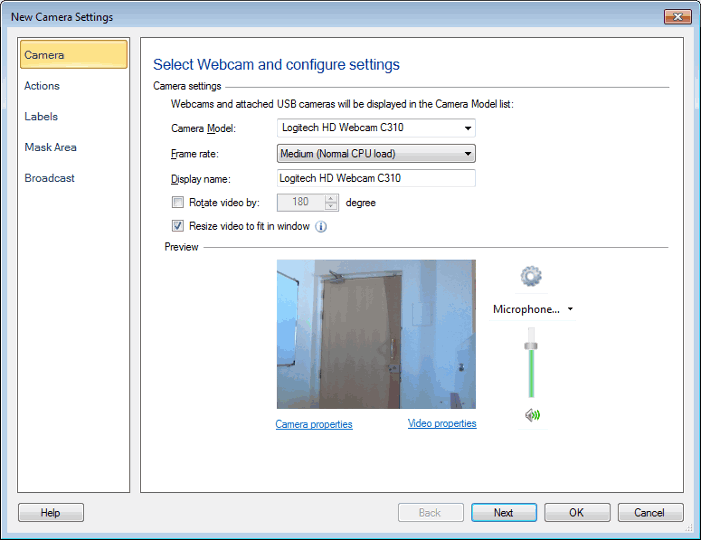
Now, the camera preview will be rotated by 180 degrees in the Preview section. It should appear right side up for a ceiling mount.
Hello! It looks like you're interested in this conversation, but you're not signed in.
Sign in with your Deskshare account to ask a question, reply, and get an email when someone answers. You will come back to exactly where you left off.
With your input, this post could be even better 💗
Register Login