Display a watermark logo at the beginning of screen recording
-
I want to display my logo image on my screen recording for a few seconds. I purchased the Pro version, how can I do this?
-
My Screen Recorder Pro allows you to add a watermark image on your screen recordings. Click on the Effects menu and select the ‘Image Overlay…’ option.
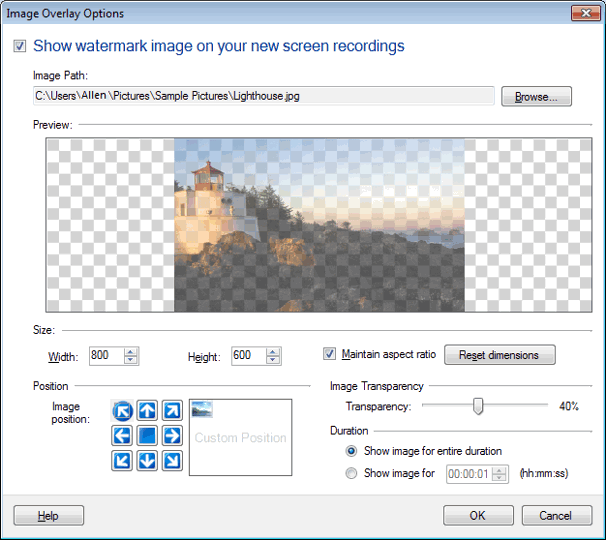
Select your image using the Browse button. Choose the ‘Show image for’ option under Duration section and enter time. You can also adjust size, position and image transparency.
-
My Screen Recorder Pro allows you to add a watermark image on your screen recordings. Click on the Effects menu and select the ‘Image Overlay…’ option.
Select your image using the Browse button. Choose the ‘Show image for’ option under Duration section and enter time. You can also adjust size, position and image transparency.
Hello! It looks like you're interested in this conversation, but you're not signed in.
Sign in with your Deskshare account to ask a question, reply, and get an email when someone answers. You will come back to exactly where you left off.
With your input, this post could be even better 💗
Register Login