Adding a new voice in Text Speaker
-
I see you have some really great sounding voices. How to add these voices in Text Speaker?
-
You can download and install the voice from within Text Speaker or you can download from our website and install it.
Here is a page you can download voices from:
https://www.deskshare.com/text-to-speech-voices.aspxAfter installation, launch Text Speaker. The installed voice will be listed in the ‘Voice’ drop down list on the main user interface.
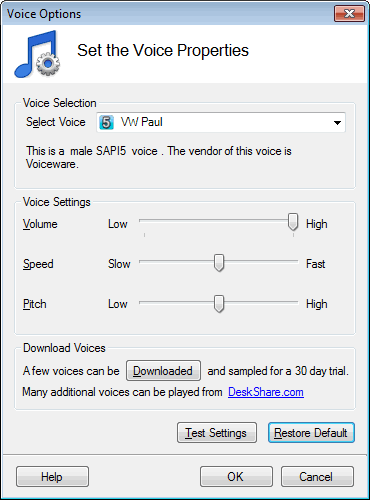
Click on the ‘Voice’ icon on the tool bar and test the installed voice from the ‘Voice Options’ dialog.
Hello! It looks like you're interested in this conversation, but you're not signed in.
Sign in with your Deskshare account to ask a question, reply, and get an email when someone answers. You will come back to exactly where you left off.
With your input, this post could be even better 💗
Register Login