Transfer files from selected folders in the root
-
I have seven to eight folders on the root location on my FTP server. From those, I only want to transfer files from three folders. Please explain how I can accomplish this transfer.
-
Auto FTP Manager's exclude folder function will allow you to perform your transfer.
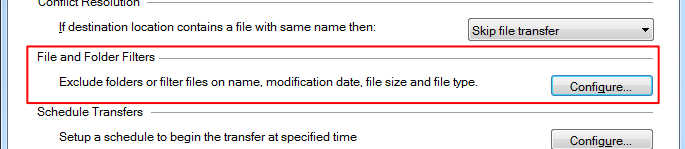
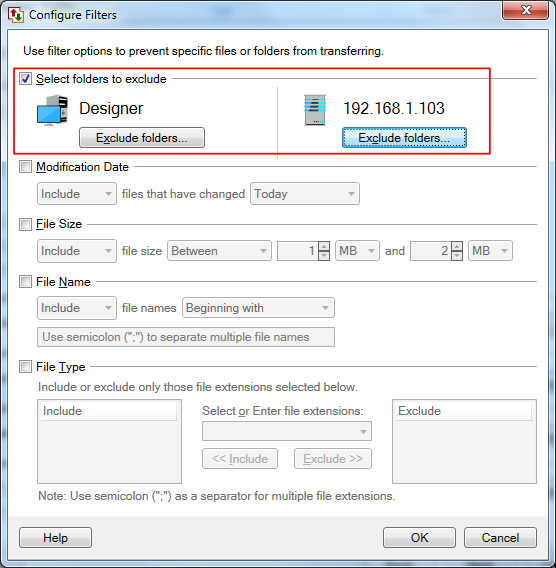
You have to create your Automated Transfer Profile, and click on the 'Configure' button for file and folder filters on the Action rules page. You will see the Configure Filters dialog.
Next, click on the checkbox for 'Select folders to exclude', then click on the 'Exclude folders...' button to choose the folders. In your case you can exclude everything and keep only the three folders you want.
Hello! It looks like you're interested in this conversation, but you're not signed in.
Sign in with your Deskshare account to ask a question, reply, and get an email when someone answers. You will come back to exactly where you left off.
With your input, this post could be even better 💗
Register Login