Displaying a URL on my screen recording for a few seconds
-
I am creating a video tutorial using My Screen Recorder Pro. I want to display a URL during the first few seconds of my screen recording. I am new to this application and am not sure how to do this. I appreciate your help.
-
You can use the text captions function in My Screen Recorder Pro. The caption can be shown for the entire duration of your recording or for a specified duration.
To add a text caption, click Effects >> Time and Text Annotations. You will see the 'Time and Text Annotations' dialog. Select 'Display text caption' option under the 'Text Caption' section, you will get the following dialog:
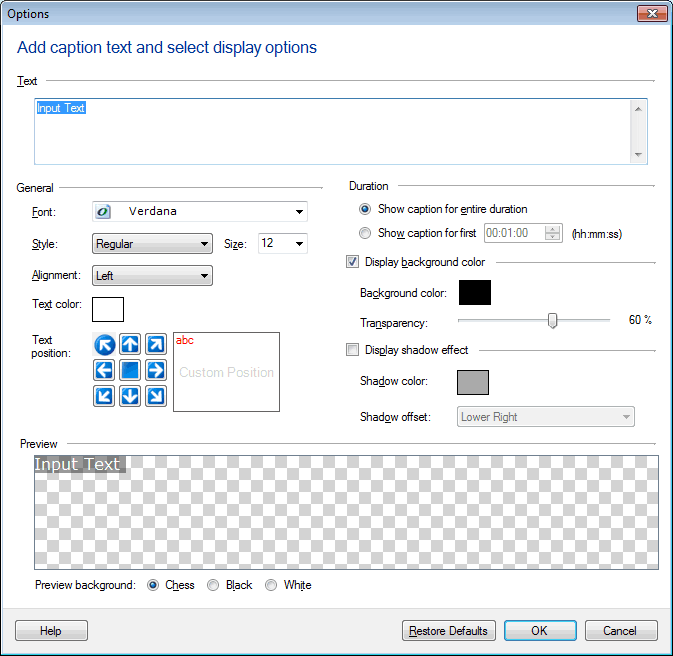
In the Text field enter the website address and set the Font, Style, Alignment, Color, and Position. Select 'Show caption for first' option under Duration section and enter the number of seconds you want to display the caption.
On your next recording, the website address will be displayed on the screen for the time you selected.
Hello! It looks like you're interested in this conversation, but you're not signed in.
Sign in with your Deskshare account to ask a question, reply, and get an email when someone answers. You will come back to exactly where you left off.
With your input, this post could be even better 💗
Register Login