Synchronize project files using FTP
-
We have two teams working on the same project at different locations and we want to use a FTP client to synchronize our daily work. How to get this working using Auto FTP Manager?
-
You can use Auto FTP Manager to synchronize your files at your 2 locations.
Select the 'Synchronize' option from Transfer Rules tab.
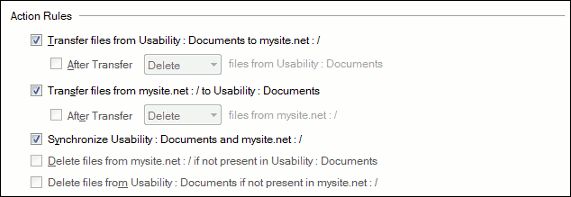
Set the Conflict Resolution to overwrite or skip.
You can also add a schedule to transfer the files hourly, or daily as required.
When the schedule runs, the latest files will be synchronized.
Hello! It looks like you're interested in this conversation, but you're not signed in.
Sign in with your Deskshare account to ask a question, reply, and get an email when someone answers. You will come back to exactly where you left off.
With your input, this post could be even better 💗
Register Login