Searching for screen recordings
-
I create lots of screen recordings every day. Because there are so many files, I find it difficult to search some of my previous recordings. Is there anything that can help me to find the file I am looking for?
-
You can use the File Search function in My Screen Recorder Pro to find your files.
Here is how:
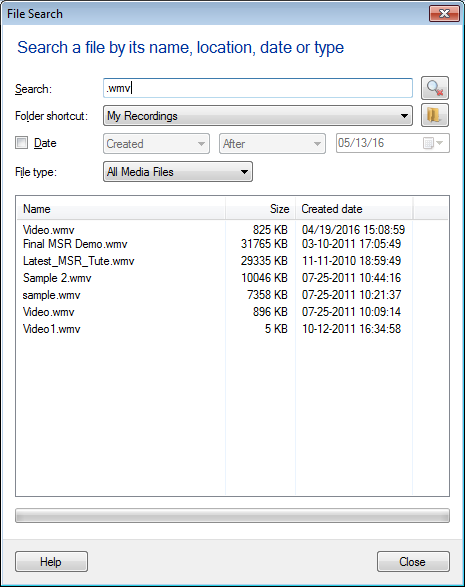
- From File menu >> Click on the 'Search...' option. You will see following dialog:
-
Enter a few characters of the filename to begin the search. Make your searching process faster by entering Date and File Type.
-
If the file is present, it is shown in the search results. Now double click on the file to open it.
Hello! It looks like you're interested in this conversation, but you're not signed in.
Sign in with your Deskshare account to ask a question, reply, and get an email when someone answers. You will come back to exactly where you left off.
With your input, this post could be even better 💗
Register Login