Convert only the selected text to audio
-
I want to convert only the selected content from a text document to audio format. Can I do this using Text Speaker?
-
You can select important sections of a document in Text Speaker and convert the selected text into an audio file.
To select the text, first open document using File >> Open. Select the text to mark for audio conversion and click Edit >> Outline Area. Repeat this step for all the text you would like to convert to audio format.
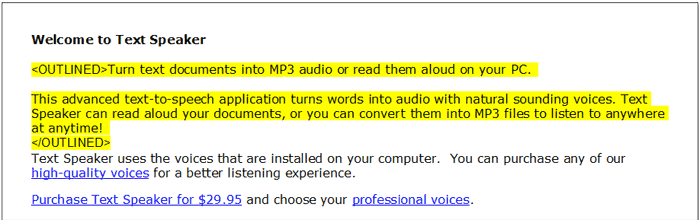
Once you finish outlining the text, click File >> Save to save the file. Finally, go to the Speak menu and select the Convert Outlined Text option. Configure the audio properties and click OK to start conversion.
In this way, only the outlined selected text will be converted to audio.
Hello! It looks like you're interested in this conversation, but you're not signed in.
Sign in with your Deskshare account to ask a question, reply, and get an email when someone answers. You will come back to exactly where you left off.
With your input, this post could be even better 💗
Register Login