Adding a logo on the webcam broadcast stream
-
I am broadcasting my USB camera video. I would like to show an image with my logo on the broadcasted video. Please tell me if this is possible, and if so, how to accomplish it.
-
The watermark option in WebCam Monitor allows you to add a logo on the broadcast stream. Adding an image watermark is same as adding an image logo to the camera preview.
To add the logo, right click on the camera preview and select the Edit Camera option. On the Labels tab, select the Include Watermark option and click the Browse button. Select your image file and click the OK button. The selected image will be shown in the Preview area. You can also adjust the image transparency level and rotate the image label if needed.
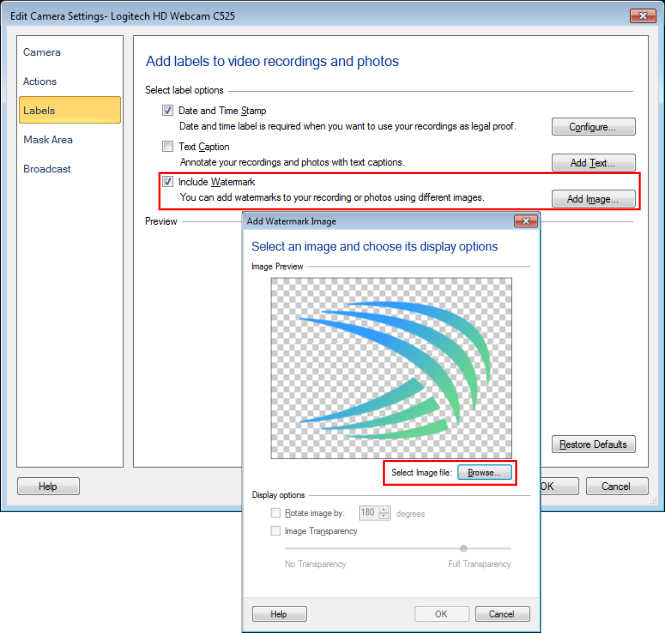
Next, right click on the camera preview and select the Start Broadcasting option. When you open the broadcasting URL in Windows Media player, you will see the logo on the broadcast stream.
Hello! It looks like you're interested in this conversation, but you're not signed in.
Sign in with your Deskshare account to ask a question, reply, and get an email when someone answers. You will come back to exactly where you left off.
With your input, this post could be even better 💗
Register Login