Can I place the webcam preview on my second monitor?
-
I am using 4 USB cameras with WebCam Monitor. I have two monitors and I want to place the camera previews on my secondary monitor. Please explain how to do this.
-
You can detach camera previews in WebCam Monitor and position them on the same or different monitors. This feature allows you to work with other applications while keeping an eye on your surveillance.
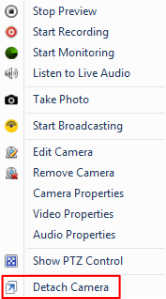
To detach a camera preview, right click on the preview window and select Detach Camera. This will separate the window of the camera. You can resize and drag it to position anywhere on the same or a different monitor.
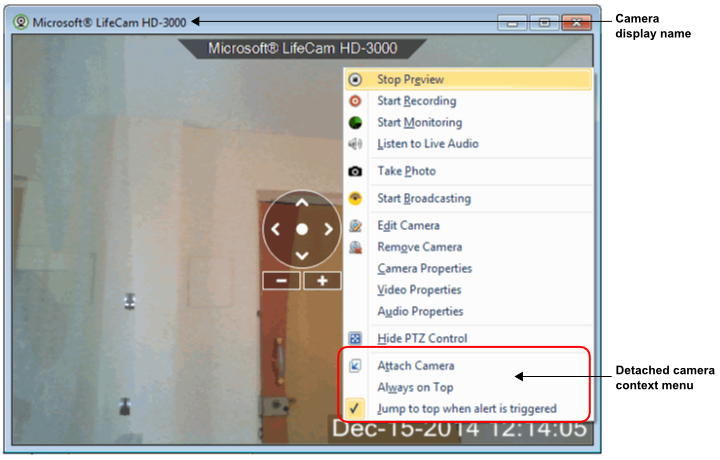
To keep detached windows on top of other running applications, right click the detached camera preview and select the Always on Top option. This will keep the camera window on top of all other applications.
Note: Detached window settings will not be saved when you close the application. You have to configure the settings again when you launch the application.
Hello! It looks like you're interested in this conversation, but you're not signed in.
Sign in with your Deskshare account to ask a question, reply, and get an email when someone answers. You will come back to exactly where you left off.
With your input, this post could be even better 💗
Register Login