Viewing webcam recordings within a date range
-
I am using WebCam Monitor to record from two webcams that have a lot of activity. When I am viewing the recordings, is it possible to filter out videos based on a specific date limit or range? This will make my video reviewing job easier.
Thanks… -
Yes, you can review captured videos by specifying a custom date range.
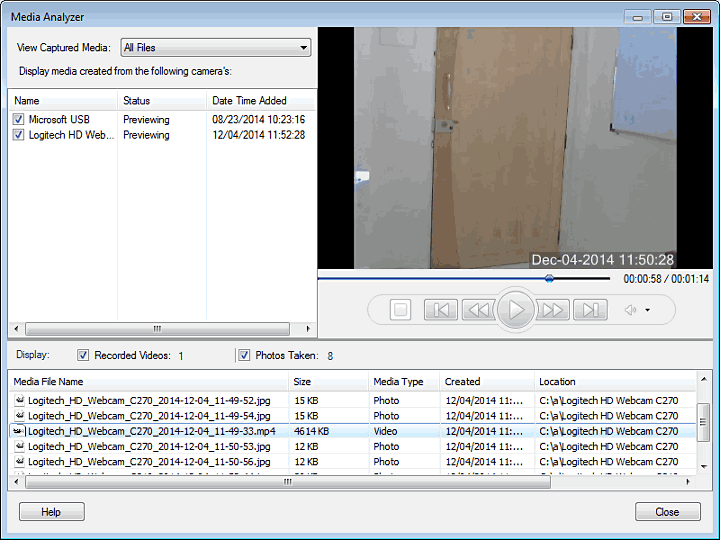
From the Media Analyzer in WebCam Monitor, select ‘Custom Date Range’ option in the dropdown list. Enter a date range. This will show you the videos and photos captured in the specified date range.
To display only the videos, uncheck the ‘Photos Taken’ check box on the Media Analyzer dialog.
Hello! It looks like you're interested in this conversation, but you're not signed in.
Sign in with your Deskshare account to ask a question, reply, and get an email when someone answers. You will come back to exactly where you left off.
With your input, this post could be even better 💗
Register Login