Backing up the camera settings to move to a new PC
-
I want to know if I can save the camera settings somewhere so that I can upgrade to a new PC without having to configure all the details again.
-
In Security Monitor Pro you can save the camera settings by creating a backup file for your IP cameras.
On menu bar, click File >> Export Cameras, create a backup file by providing file name, folder location and cameras to backup. The camera along with the configured settings will be stored in backup file.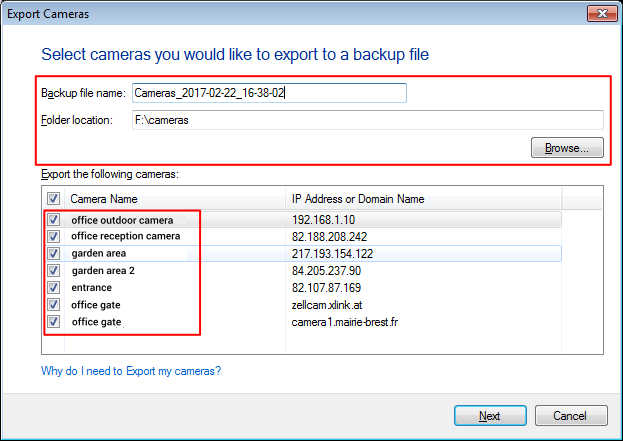
For configuring the details on another PC, on menu bar, click File >> Import Cameras, here you need to specify the backup folder location and the backup file. This will import all the camera(s) back in the application.
Hello! It looks like you're interested in this conversation, but you're not signed in.
Sign in with your Deskshare account to ask a question, reply, and get an email when someone answers. You will come back to exactly where you left off.
With your input, this post could be even better 💗
Register Login