Adjusting webcam brightness from WebCam Monitor
-
Is there any option to change or adjust the brightness for my webcam in WebCam Monitor?
-
You can change the brightness for your webcam from WebCam Monitor. While adding your webcam, click on ‘Camera properties’ link on add camera dialog and adjust the brightness level.
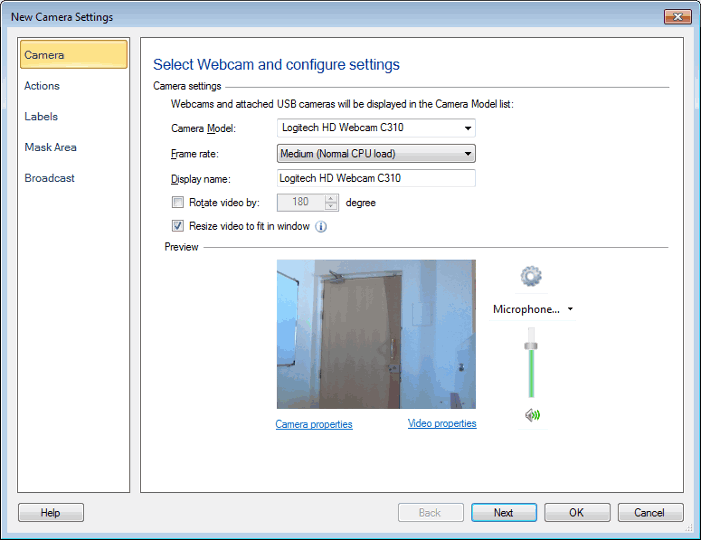
You can also access ‘Camera properties’ by right clicking on the camera preview or from the ‘Camera’ menu.
Note that the dialog shown after clicking on ‘Camera properties’ link is specific to your particular webcam. It will be different for other webcams, but you can adjust the camera brightness from that dialog box.
Hello! It looks like you're interested in this conversation, but you're not signed in.
Sign in with your Deskshare account to ask a question, reply, and get an email when someone answers. You will come back to exactly where you left off.
With your input, this post could be even better 💗
Register Login