Configuring Auto FTP Manager to synchronize two folder locations
-
I don't have much technical knowledge about FTP. I would like to use Auto FTP Manager to synchronize the files on two different systems. Please explain how I can configure what I am looking for.
Thanks for your help. -
Technical knowledge is not required to use Auto FTP Manager. We have designed it to make it easy to schedule and automate your file transfers and for synchronizing folders.
Create your Automated Transfer profile with the appropriate folder or FTP connection and then configure the 'Action Rules' for synchronizing the source and destination. From the 'Transfer Rules' tab on Edit Profile Properties dialog, select the checkbox for synchronize:
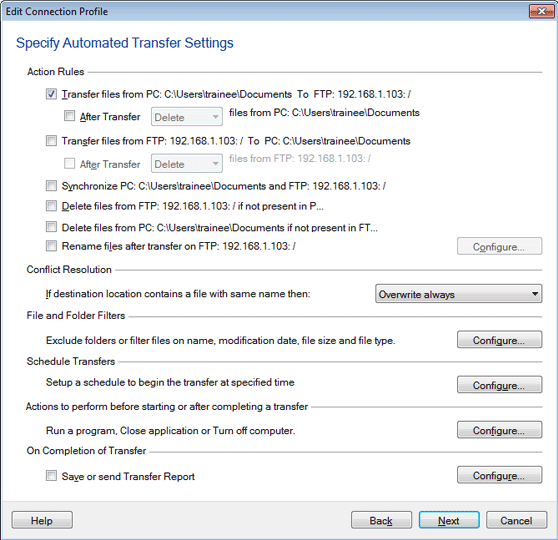
Run your Automated Transfer profile and your folders will be synced.
Hello! It looks like you're interested in this conversation, but you're not signed in.
Sign in with your Deskshare account to ask a question, reply, and get an email when someone answers. You will come back to exactly where you left off.
With your input, this post could be even better 💗
Register Login