Changing the default file name for screen recordings
-
I am using the trial version of My Screen Recorder. I want to change the default file name, which is shown when the recording gets completed. Currently it shows 'Video' and I want to change it to something else. Can I do this?
-
My Screen Recorder allows you to set the default file name. From 'Settings' you can change the default file name which is shown after completion of screen recordings.
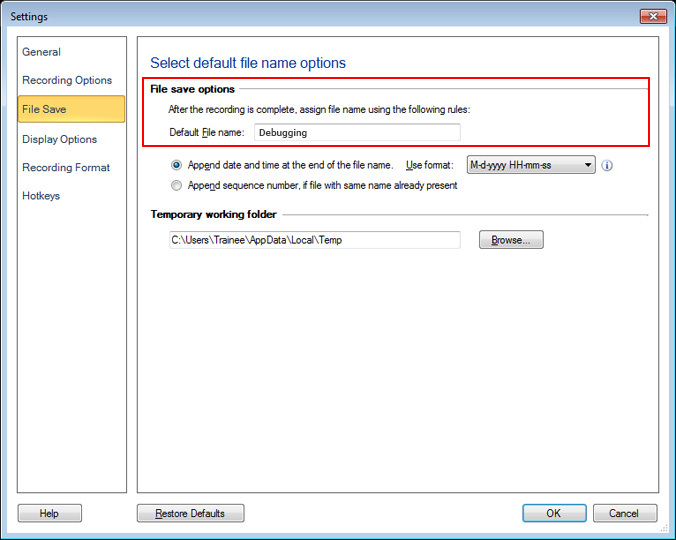
Go to Settings and click on the ‘File Save’ tab. Then enter the file name you want in ‘File Save options’. Choose to either append a sequential number or a date and time to the file name.
Hello! It looks like you're interested in this conversation, but you're not signed in.
Sign in with your Deskshare account to ask a question, reply, and get an email when someone answers. You will come back to exactly where you left off.
With your input, this post could be even better 💗
Register Login