Changing the frame size of broadcast video
-
I want to watch the live video stream on my phone, but the image is too large. I need to reduce the frame size. How can I change this for broadcasting video?
-
There are several adjustable settings for WebCam Monitor's video broadcast, including changing the frame size.
Here are directions:
- Right click on the camera preview and select Edit Camera >> Broadcast tab.
You will see the following dialog:
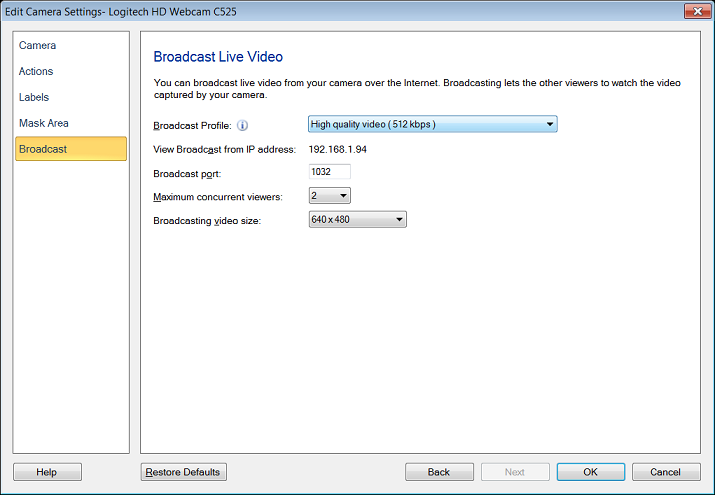
- Select the appropriate Broadcast Profile and Broadcasting video size from the drop-down menu. Start broadcasting, you can now see the video is resized to the selected dimension.
Hello! It looks like you're interested in this conversation, but you're not signed in.
Sign in with your Deskshare account to ask a question, reply, and get an email when someone answers. You will come back to exactly where you left off.
With your input, this post could be even better 💗
Register Login