Change source and destination folder before transfer
-
I want to change the source and destination folders before starting the automated transfer. Is there any way to do this easily in Auto FTP Manager without re-creating the transfer job?
-
In Auto FTP Manager, you can easily set any folder as a home folder directly from the file manager. The Home folder will be the source or destination for file transfer.
After creating the transfer profile, open the File Manager list view. Right click on the required folder and select Set as Home Folder option.
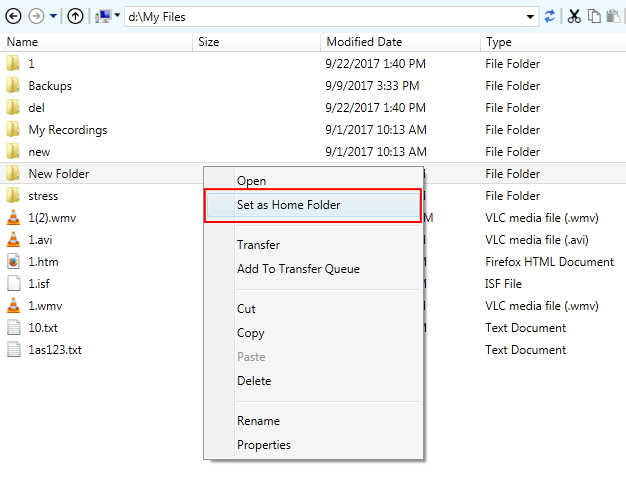
Next, start the automated transfer. All your files will be transferred from or to the selected home folder.
Using this method, you can quickly change the source or destination folder.
Hello! It looks like you're interested in this conversation, but you're not signed in.
Sign in with your Deskshare account to ask a question, reply, and get an email when someone answers. You will come back to exactly where you left off.
With your input, this post could be even better 💗
Register Login