Record mobile screen on PC with "My Screen Recorder"
-
I am using Screen Cast to show mobile application presentations on my PC. But I also want to record those presentations. How can I do this?
-
Screen Cast can record the presentation on your mobile screen along with PC using My Screen Recorder software.
Install My Screen Recorder on your PC.
Open Screen Cast, select the connection type and note the ID and password to use in My Screen Recorder. The password is optional and can be changed from the application settings. Then click 'Start Broadcasting' to start streaming your mobile screen.
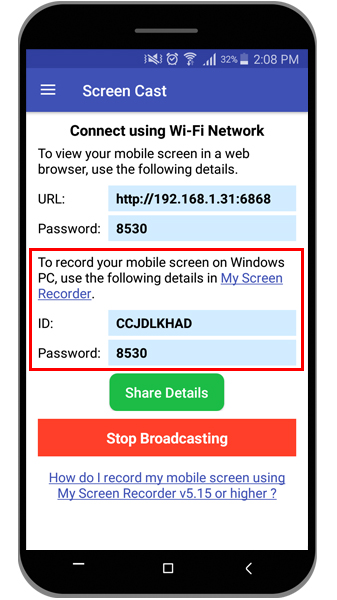
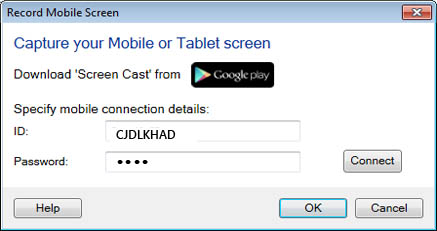
Next, open My Screen Recorder and click the Record icon on the toolbar. On the Recording Options dialog, select the Record mobile screen checkbox and configure the settings by providing the ID and password from Screen Cast. You can see the preview of your mobile screen by clicking the Connect button.
Click OK on the Recording Options dialog to start mobile screen recording.
You can use the hotkey to display your mobile screen on your PC screen. You can also customize the size and position of the mobile screen preview window on your PC.
Hello! It looks like you're interested in this conversation, but you're not signed in.
Sign in with your Deskshare account to ask a question, reply, and get an email when someone answers. You will come back to exactly where you left off.
With your input, this post could be even better 💗
Register Login