Record my PC screen every morning for half an hour
-
Can I use My Screen Recorder Pro to start recording my PC screen activity every morning at 9 O’clock and continue till 9:30?
-
My Screen Recorder Pro allows you to schedule a screen recording. You can add a schedule to record your screen every morning for half an hour.
To configure a schedule, click on the Schedule icon on the toolbar. Next, choose a folder location to save the scheduled recording, select the recording type and the profile. On the next page, select the 'Daily' schedule type and enter the start time as 9:00. Set the Recording duration option to 30 minutes and the Record every option to 1 day. Click on the Next button and finish the settings.
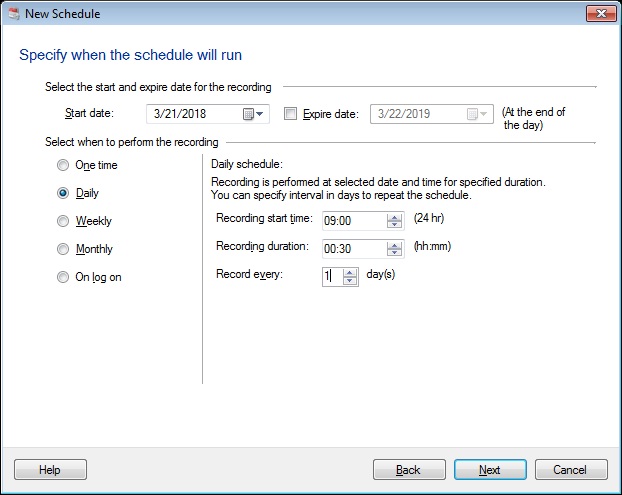
Your screen recording will start every morning at 9 AM and will be performed for half an hour. Recordings will be saved automatically to the folder you selected.
Hello! It looks like you're interested in this conversation, but you're not signed in.
Sign in with your Deskshare account to ask a question, reply, and get an email when someone answers. You will come back to exactly where you left off.
With your input, this post could be even better 💗
Register Login