Reading bold content in my document with a different voice
-
I am researching text to speech applications prior to purchase, and I have a question about Text Speaker. I am creating my own audiobooks and I would like to read content marked in bold with a different voice. Can this be done?
-
You can read the marked text in different voice with Text Speaker.
To change the voice for marked text, load your document in Text Speaker. Highlight the bold content which you want to read in a different voice. Right click on the selected content and choose the Insert Voice Change option. Select the voice you want to insert. Repeat this process for the remaining content.
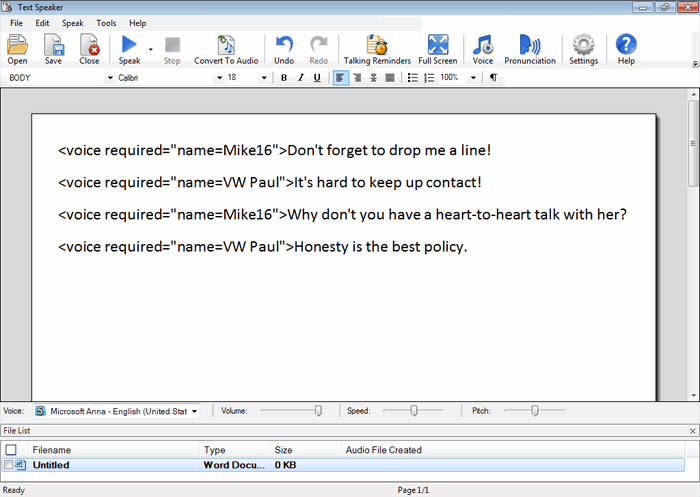
Remember to insert the original voice at the end of the sentence, otherwise Text Speaker will continue to read the document in the voice selected to read the bold content.
Another option is to use emphasis instead of changing the voice. Try highlighting the bold content as previously explained and choose Edit >> Emphasize selected word/phrase option.
Hello! It looks like you're interested in this conversation, but you're not signed in.
Sign in with your Deskshare account to ask a question, reply, and get an email when someone answers. You will come back to exactly where you left off.
With your input, this post could be even better 💗
Register Login