How to read arithmetic symbols out loud in Text Speaker?
-
I am creating audio tutorials for kids to teach them arithmetic operations using Text Speaker. I am having trouble reading the arithmetic symbols. It is not reading the minus sign and reading other symbols incorrectly.
-
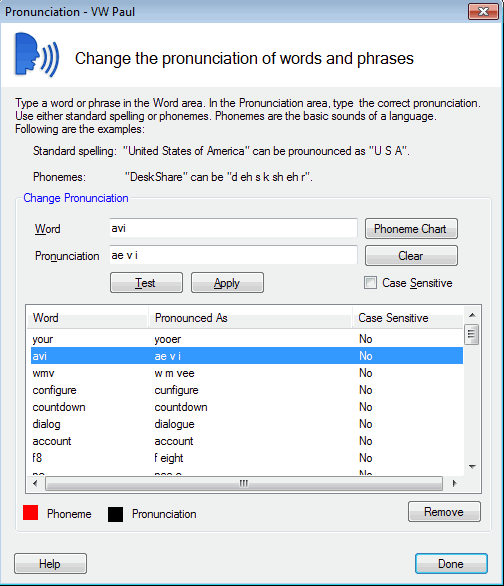
You can change the way Text Speaker pronounces arithmetic words and symbols in your document.
On the Pronunciation dialog, enter the ‘-’ sign in the Word text field and put the word ‘minus’ in the Pronunciation text field. Test the pronunciation and click apply.
Now, if you start reading the document it will read the minus sign. Similarly, you can adjust the pronunciation for other arithmetic symbols. Once you finish adjusting the pronunciations, just convert the document file to audio format.
Hello! It looks like you're interested in this conversation, but you're not signed in.
Sign in with your Deskshare account to ask a question, reply, and get an email when someone answers. You will come back to exactly where you left off.
With your input, this post could be even better 💗
Register Login