Adjusting the image quality of captured photos in Security Monitor Pro
-
I am using Security Monitor Pro with my 4 IP cameras for capturing photos. I want to change the image quality. Can I adjust the image quality in Security Monitor Pro?
-
Yes, you can change the image quality in Security Monitor Pro.
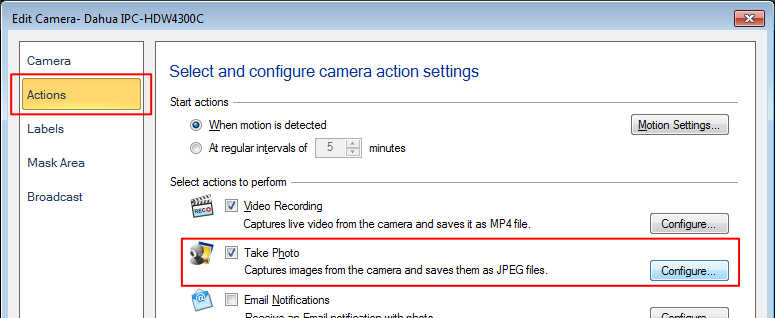
Right click on camera preview and select Edit camera option. Move to the Actions tab. Click on the ‘Configure’ button for the Take Photo action.
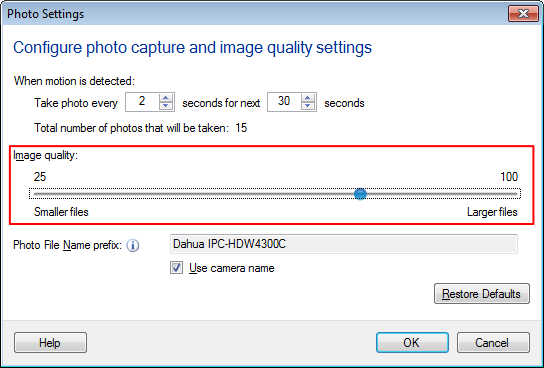
Next, adjust the image quality using the slider control. Images are saved as JPEG files.
Hello! It looks like you're interested in this conversation, but you're not signed in.
Sign in with your Deskshare account to ask a question, reply, and get an email when someone answers. You will come back to exactly where you left off.
With your input, this post could be even better 💗
Register Login