Improving screen recording quality
-
I am creating screen recordings using the Pro version. I am happy with the screen recordings, but would like to know if there are any tips on improving the quality of the recordings a little bit.
-
You can increase the screen recording quality by selecting one of My Screen Recorder Pro's higher quality video profiles.
Click on the ‘Settings’ icon on the toolbar. Go to the ‘Recording Format’ tab and select ‘Video Profile:’ from the drop down.
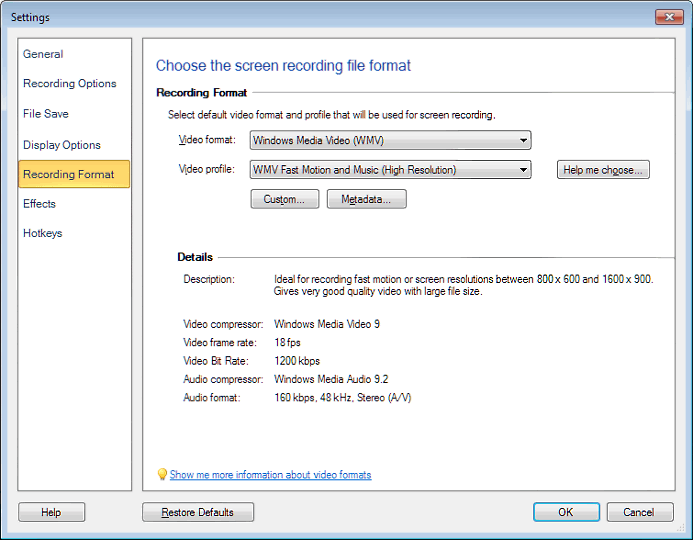
You can also create a custom profile and choose settings for the video profile.
Hello! It looks like you're interested in this conversation, but you're not signed in.
Sign in with your Deskshare account to ask a question, reply, and get an email when someone answers. You will come back to exactly where you left off.
With your input, this post could be even better 💗
Register Login