Changing the camera video resolution in WebCam Monitor
-
I am very happy with your WebCam Monitor software, it is working well with my Logitech webcams. I have only one question- how do I change the cameras' video resolution?
-
There are two ways to change the camera video resolution from WebCam Monitor.
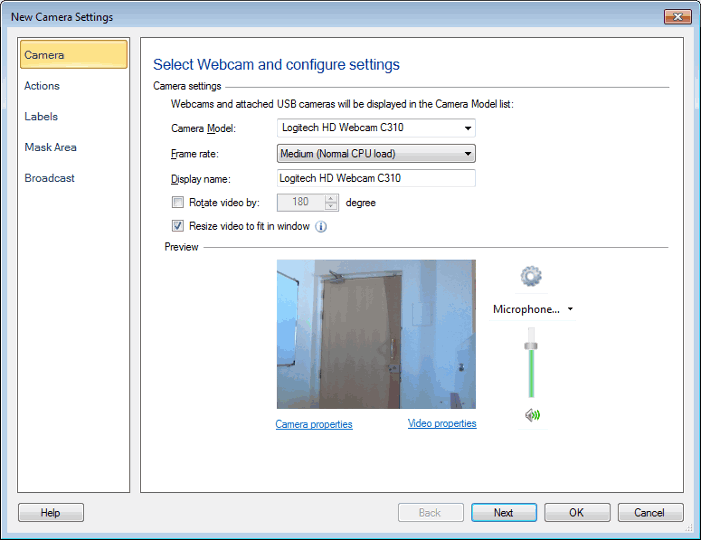
Click on the ‘Video properties’ link on the Add / Edit camera dialog and select the video resolution.
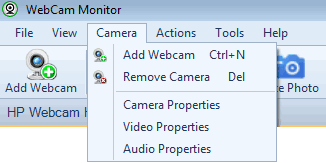
The other method is to click on the ‘Camera’ menu and select Video Properties option and change the resolution value.
Hello! It looks like you're interested in this conversation, but you're not signed in.
Sign in with your Deskshare account to ask a question, reply, and get an email when someone answers. You will come back to exactly where you left off.
With your input, this post could be even better 💗
Register Login