Turning off FTP uploads without interrupting camera monitoring
-
I have two webcams in WebCam Monitor that are recording video, taking photos, and uploading recordings and images to a FTP server. The actions are set to run on motion detection. I want to stop the FTP upload when I am using my PC and start it after finishing my work. How can I stop FTP uploads without stopping monitoring? Will making this change cause any problem with video recording or photos?
-
To stop the FTP upload action there is no need to stop monitoring. You just need to uncheck the 'Upload Media Files' option from Quick Access. You can also disable FTP upload from 'FTP Upload Status' window in WebCam Monitor.
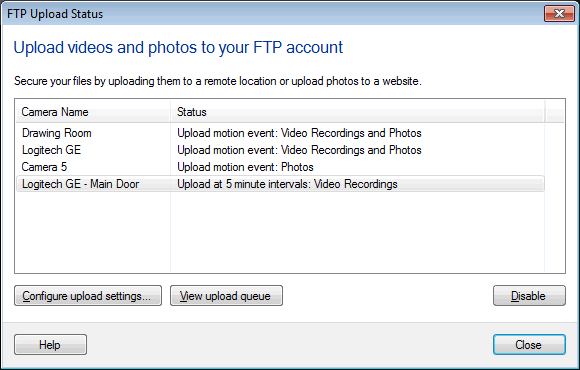
Select the camera name and click the 'Disable' button. This will stop only the FTP upload action. Video recording and taking photos will be performed when motion is detected.
You can enable the FTP upload action when you are ready.
Hello! It looks like you're interested in this conversation, but you're not signed in.
Sign in with your Deskshare account to ask a question, reply, and get an email when someone answers. You will come back to exactly where you left off.
With your input, this post could be even better 💗
Register Login