Controlling the number of viewers that can see my webcam video broadcast
-
I want to use WebCam Monitor to view the live stream from my webcam over the internet. I would like to limit the video broadcast connections to two so that me and my wife can view it.
Thanks. -
You can set the number of concurrent viewers from broadcast tab in WebCam Monitor.
To configure the number of concurrent viewers, right click on camera preview and select Edit Camera >> Broadcast. From the dropdown box select 2 as shown in the below image: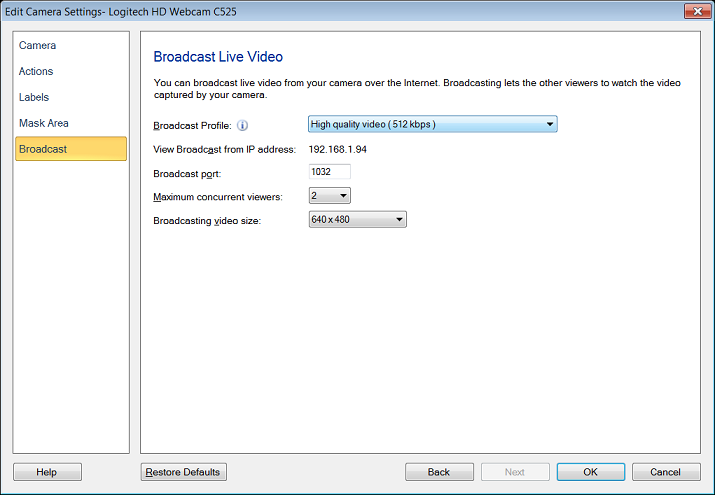
This is the number of other computers that can simultaneously view the video broadcast from WebCam Monitor. You should set the maximum number of viewers according to the bandwidth available.
Hello! It looks like you're interested in this conversation, but you're not signed in.
Sign in with your Deskshare account to ask a question, reply, and get an email when someone answers. You will come back to exactly where you left off.
With your input, this post could be even better 💗
Register Login