Recording all the time with camera alerts only during work hours
-
I want to set up only recording during the time I am in home and want to have recording as well as email notifications, FTP uploads when I leave my house for work.
How do I set this up? -
You can easily set these actions in WebCam Monitor. You have to create two different schedules to perform the actions on your work schedule.
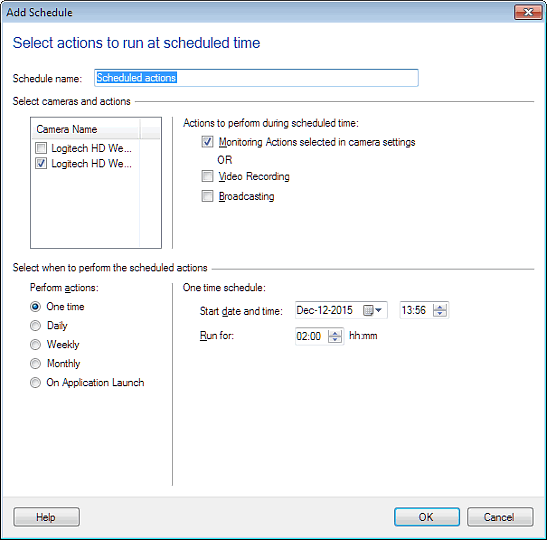
While you are at home, add a schedule to perform only video recording by selecting the 'Video Recording' option on Add Schedule dialog.
When you are at work, create another schedule and select 'Monitoring Actions selected in camera settings' on Add Schedule dialog. So whatever the actions you have configured in actions tab like email notification, and FTP upload will be performed. Here is a sample:
Hello! It looks like you're interested in this conversation, but you're not signed in.
Sign in with your Deskshare account to ask a question, reply, and get an email when someone answers. You will come back to exactly where you left off.
With your input, this post could be even better 💗
Register Login