Creating a daily voice announcement
-
I am using Text Speaker for a long time to read eBooks and documents. It works well for me.
I own a small office where I have to make voice announcements every day at a specific time. Can I use Text Speaker?
Thanks for your help!!!
-
Yes, you can use the Talking Reminder feature in Text Speaker.
Here are the steps:
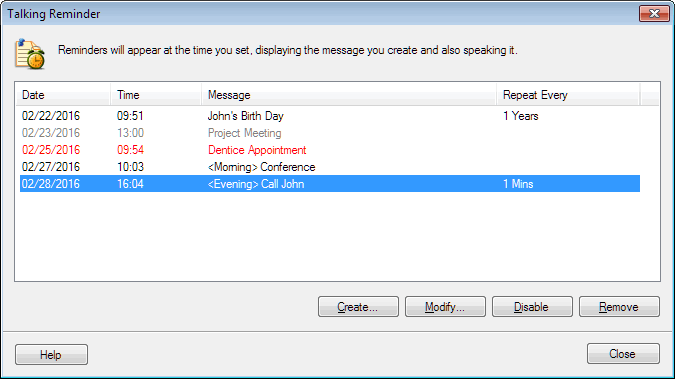
- Click on "Talking Reminders" on the tool bar, you will see this dialog:
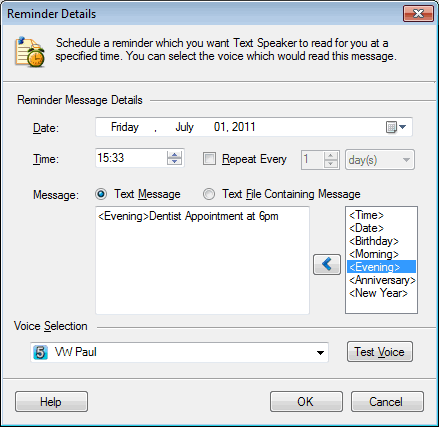
- Click on the "Create" button:
-
Write the announcement in the text box, select Date and Time. You can repeat your reminders after some minutes, hours, days or years.
-
Select a voice to read aloud the reminder and test how it sounds. Click OK
At the specified Date and Time, the message which you have written will be read aloud.
Hello! It looks like you're interested in this conversation, but you're not signed in.
Sign in with your Deskshare account to ask a question, reply, and get an email when someone answers. You will come back to exactly where you left off.
With your input, this post could be even better 💗
Register Login