Enter Keyword

Topic

Start reading from the last read position in a long book

Date Posted:20-Dec-2016 1:51 AM
Number of Posts: 2
Can Text Speaker remember the paragraph where I stopped reading previously and start reading from there for next time? I am using it for reading a long book and this will be really helpful for me.

1 Reply

Want to contribute to this discussion?  

Sign In
Date Posted:20-Dec-2016 6:58 AM
Number of Posts: 1803
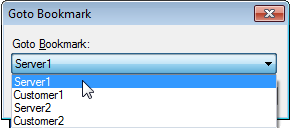
You can use the bookmark feature in Text Speaker to continue at the last read position. Add a bookmark to return to any point in your document. When you stop reading the book, add a bookmark by right clicking and selecting the add bookmark option, then save your document. When you are ready to continue reading, open your book in Text Speaker. From the Edit menu, select the 'Go to Bookmark' option and choose the bookmark you have added. Finally, start reading from current cursor position using Speak menu.